iPhone · iPad
M3U player for iPhone and iPad
eKoPlayer opens an M3U or M3U8 playlist you already have, on your iPhone or iPad. Paste the address, add an optional XMLTV guide, and watch — live channels, films and series with catch-up, favourites and resume. It arrives empty: you bring the content, from a source you are authorised to use. No account, no ads.
Download on the App Store How it works
Play your own M3U or M3U8
Paste a playlist address
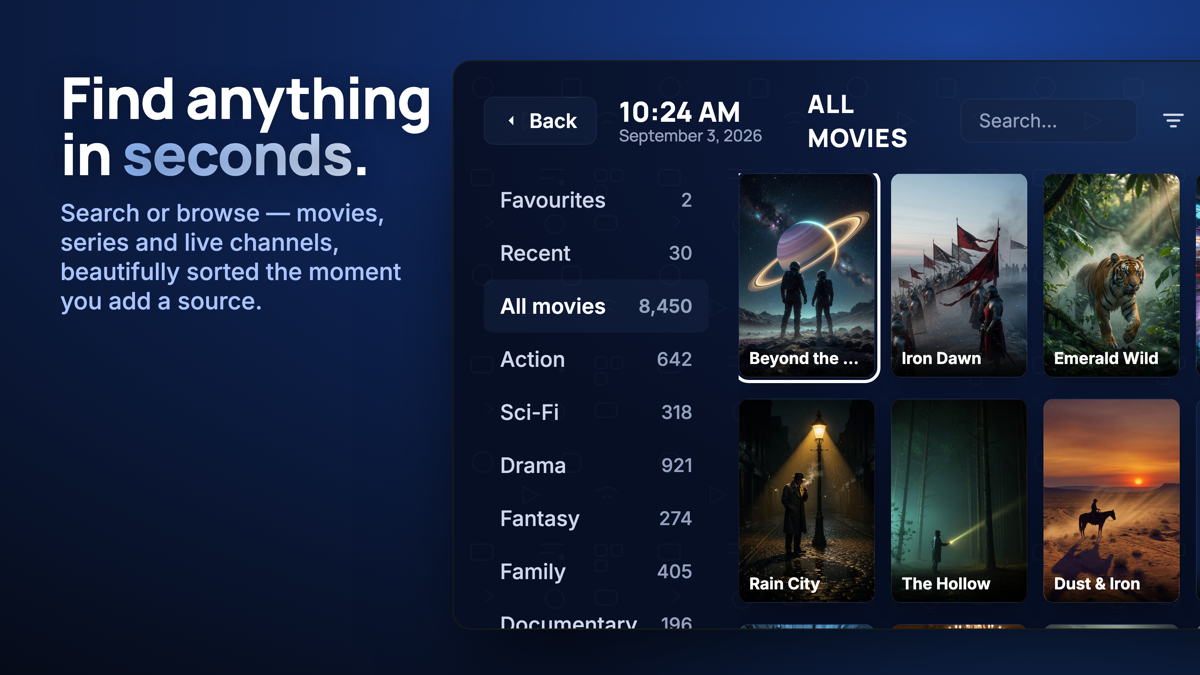
An M3U or M3U8 URL is all it needs. eKoPlayer imports your channels, films and series in a few seconds and shows only what you point it at.
A real programme guide
Add an XMLTV feed for a full EPG, with a whole-hour time-shift when your guide runs early or late.
Catch-up, favourites, resume
Past broadcasts where your source offers them, favourites, and resume where you left off — with your subtitle and audio-track choices remembered.
No account, private by design
No sign-up, password or email. Your playlist and what you watch never leave the device; a licence check sends only an on-device ID.
How it works
Install from the App Store
Get eKoPlayer on your iPhone or iPad. It opens to an empty home screen — nothing to browse until you add a playlist of your own.
Paste your M3U address
Settings → Sources → add your M3U / M3U8 URL and an optional XMLTV guide. Your catalogue imports in seconds.
Watch
Live channels, films and series from your own playlist, with the guide, favourites and resume.
Frequently asked
Does eKoPlayer come with channels or films?
No. It is a player only, and arrives empty. You add your own M3U or M3U8 playlist from a source you are authorised to use. We do not supply, host, resell or index any content.
Which playlist formats work?
M3U and M3U8 by URL, and Xtream server details. An optional XMLTV feed supplies the programme guide. Subtitles and multiple audio tracks are supported where your source provides them.
How much does it cost?
A 7-day free trial starts on first launch. After it, buy a one-time Lifetime unlock or a Yearly term in the app, through the App Store. One purchase unlocks one device.
Do I need an account?
No. There is no sign-up, password or email in the app. Your device is identified by an on-device ID shown in Settings, and nothing else.
Please read
This app does not provide or include any media content. Users must add their own content from authorized sources. This app has no affiliation with any third-party provider. This app is intended solely for streaming media the user has legal access to.