Activation
Where did you install it from?
This decides how you activate. Getting it wrong is the commonest support message we expect, so it is the first thing on the page rather than buried in an FAQ.
Google Play or the App Store
Activate inside the app, through Google or Apple. There is nothing to buy on this site, and a licence bought here will not apply to a store install.
In app
Downloader, APK, Samsung or LG
Activate on this site. This is the Fire TV route and the one the QR code in the app points at.
Licensing
Seven days free, then one licence per device.
Install
The trial starts by itself. No sign-up, no account, no email — there are no accounts in this product at all.
Use it for seven days
Everything works. Add your playlist, set your preferences, decide whether you like it.
Activate the device
One licence activates one device. Your playlist, favourites and settings stay exactly where they are.
Price
Activate a device
One device, one licence
$5
for one year, no auto-renewal
$10
once, no renewal
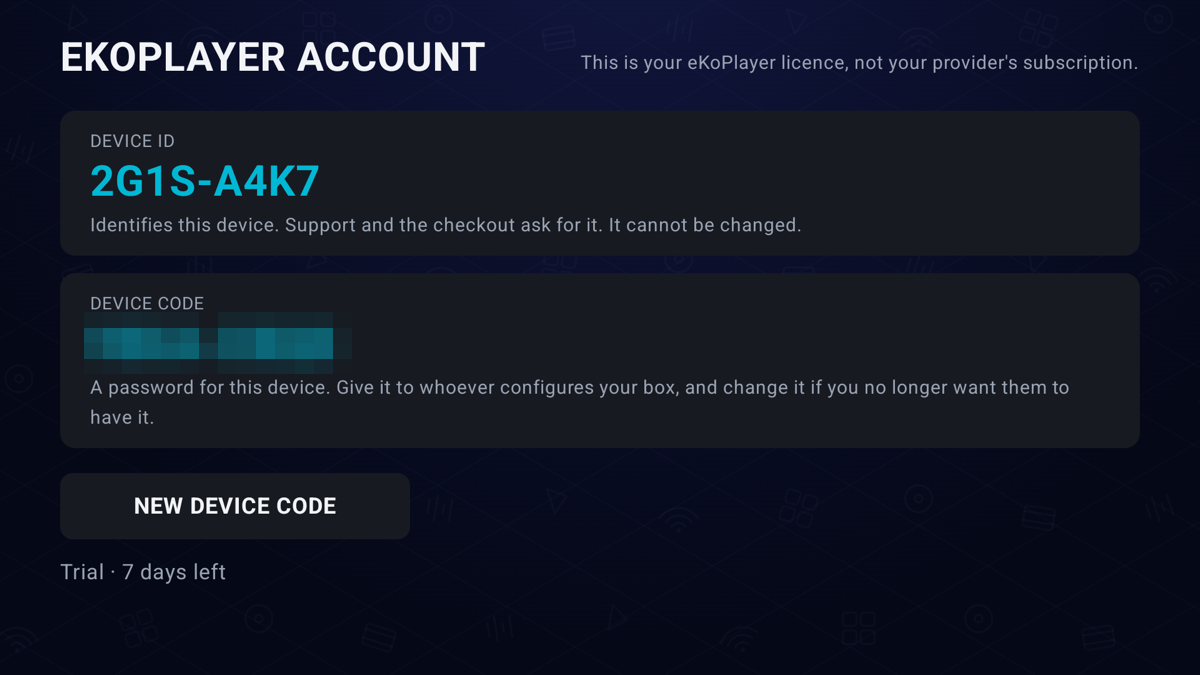
Open the app, go to Settings → Account, and read off the Device ID. It
looks like 2G1S-A4K7. Scanning the code on that screen fills it in for you.
Seven-day trial first — nothing to cancel. Refund policy.
Questions
Frequently asked
Does eKoPlayer come with channels or films?
No. It is a player and nothing else. It arrives empty and stays empty until you add a playlist you already have. We do not supply, host, resell or index any content.
Where do I find my Device ID?
In the app: Settings → Account. It is twelve characters, shown as XXXX-XXXX-XXXX.
The same screen shows a QR code that carries the ID to the activation page for you.
I bought a licence — why is my other television still on trial?
A licence activates one device. The second television has its own Device ID and needs its own licence.
What happens if I factory-reset my device or reinstall?
A reinstall keeps your Device ID and your licence. A factory reset changes the ID, because the ID comes from the device. Contact support with your old ID and proof of purchase and we will re-issue.
Do I need an account?
No, and you cannot make one. There is no sign-up, no password and no email address in the product. Your device is identified by its own ID.
What does the app send anywhere?
A Device ID and the platform, so a licence can be checked. Never your playlist, and never what you watch. See the privacy policy.
Can I get a refund?
Yes, within the terms of the refund policy — including when a licence will not activate the device it was bought for.
Help
Stuck?
Email [email protected] with your Device ID and what you were doing. Include the version from Settings — it is at the bottom of that screen.
Please read
- This app does not provide or include any media content.
- Users must add their own content from authorized sources.
- This app has no affiliation with any third-party provider.
- This app is intended solely for streaming media the user has legal access to.